Revit Modelling
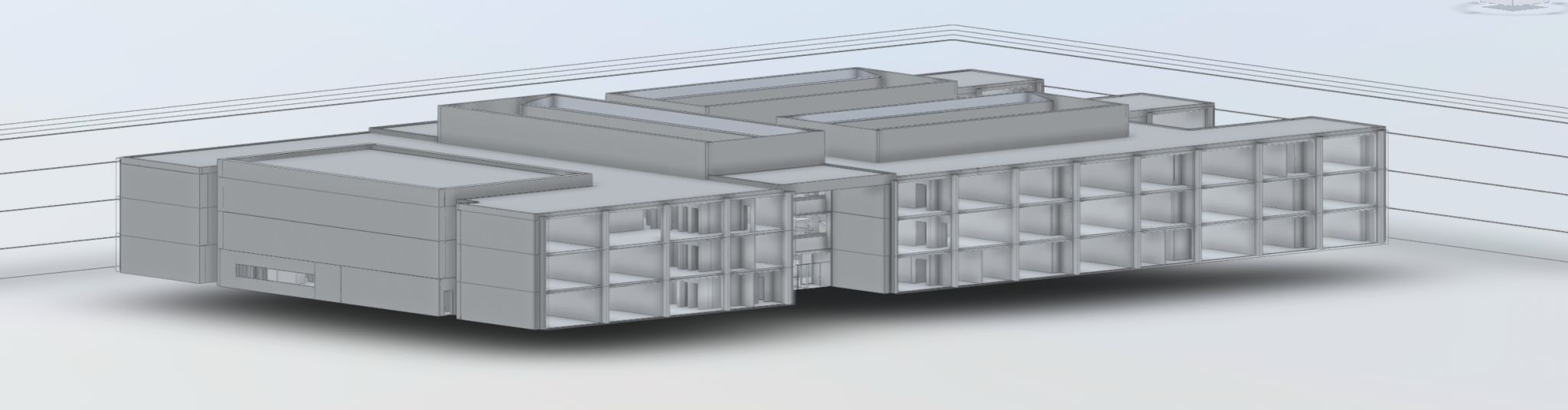
We build accurate Revit models directly from laser scan data, giving your design team a reliable 3D representation of the existing building to work from. Whether you need a basic shell model or a fully detailed as-built with MEP elements, we deliver native Revit files ready to use.
Get a free quote- Native Revit (.rvt) files
- LOD 100 to LOD 400
- Architectural elements
- Structural elements
- MEP modelling (where specified)
- IFC export available
- 2D sheets from the model
- Point cloud overlay for verification
From point cloud to working Revit model
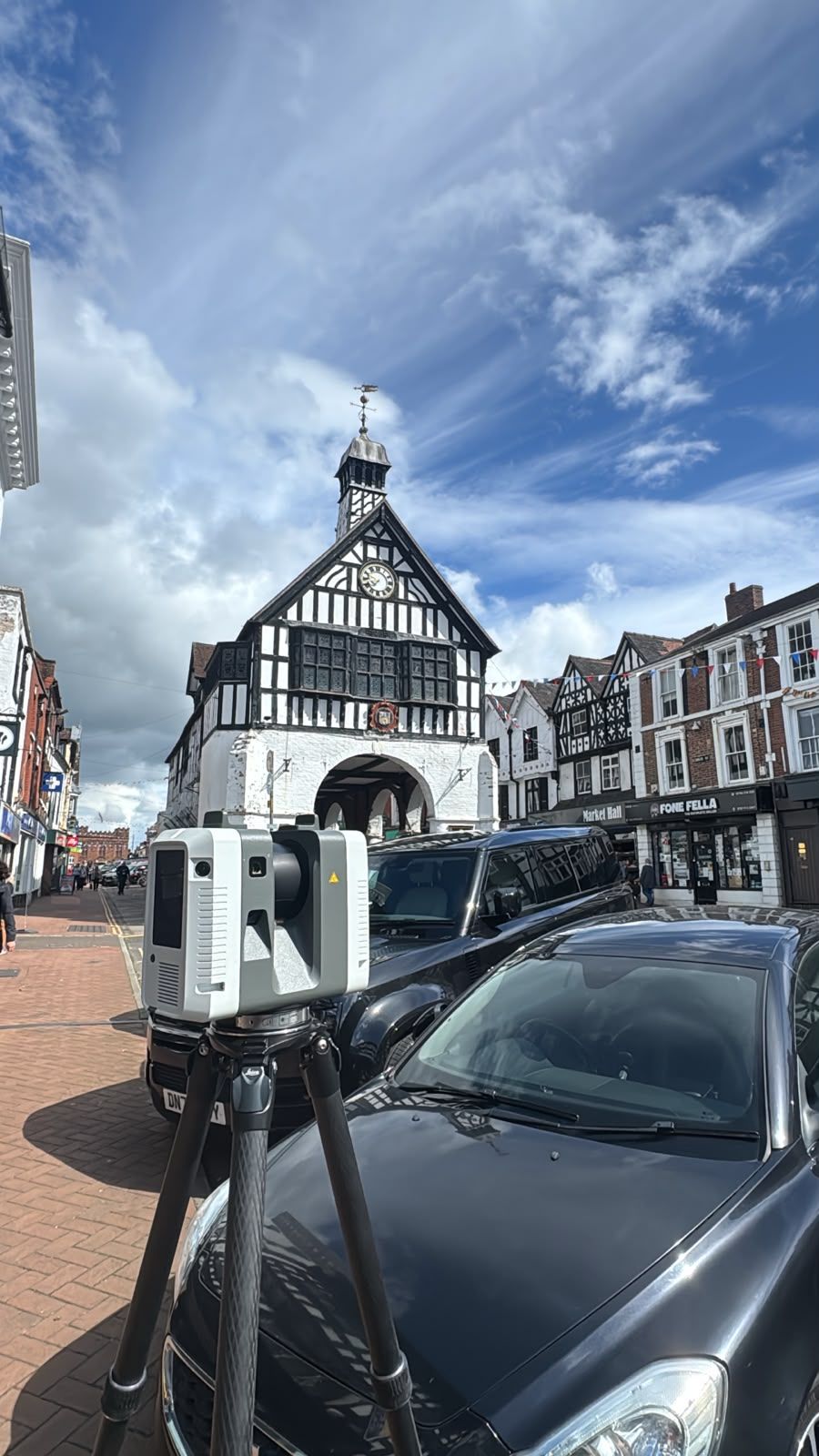
Revit modelling starts with a laser scan. Once we have the point cloud data, our modelling team builds the 3D model element by element, walls, floors, ceilings, doors, windows, structural members, each one placed and dimensioned against the scan data.
The result is a native Revit file your architects, engineers and contractors can open and start working in straight away. No conversion, no import issues, no guesswork about what the existing building actually looks like.
Level of detail
Not every project needs the same level of detail. We work to the LOD specification you set:
- LOD 100/200: basic massing and shell, enough for early-stage feasibility and space planning
- LOD 300: accurate geometry with real dimensions, suitable for design coordination and planning applications
- LOD 350/400: detailed modelling including connections, fixings and MEP routing for construction-stage coordination
Tell us what you need the model for and we will recommend the right level. There is no point paying for LOD 400 if you are doing a feasibility study.
When Revit modelling is the right choice
If your design team works in Revit and you are dealing with an existing building, you need an accurate as-built model before you start drawing. Without one, there is a real risk of clashes between new designs and existing geometry that only show up on site.
Revit modelling is the right choice when:
- Your project is BIM-mandated (PAS 1192 / ISO 19650)
- Multiple disciplines need to coordinate in the same model
- You need clash detection between existing structure and new design
- The building is complex and 2D drawings do not capture enough
- You want to extract 2D plans, sections and elevations from the 3D model
How it differs from Scan to BIM
Scan to BIM is the broader process of converting scan data into a BIM-ready model, which could be in Revit, ArchiCAD, Vectorworks or IFC. Revit Modelling is specifically about delivering a native Revit (.rvt) file.
If your team works in Revit, this is the service you want. If you need the model in a different format, or you are not sure, talk to us and we will advise.
What you receive
Deliverables with every Revit modelling project
Native Revit File
A production-ready .rvt file your team can open and start designing in immediately.
Point Cloud Overlay
The registered point cloud linked to your Revit model for visual verification against the scan data.
2D Sheet Extraction
Plans, sections and elevations generated directly from the 3D model at any specified cut plane.
Quality Report
Documentation of the modelling methodology, LOD achieved and any assumptions or deviations noted.
Our process
Scan
We laser scan your building using Leica RTC360 scanners, capturing millions of measurement points.
Register
Raw scan data is registered into a single coordinate system and cleaned.
Model
Our Revit team builds the model element by element, referenced against the point cloud.
QA and deliver
The model is checked against the scan, documented and delivered as a native .rvt file.
The Red Box advantage
Survey-Grade Accuracy
Models built from Leica RTC360 laser scan data. The geometry is measured, not guessed.
In-House Modelling
Scanning and modelling done by the same company. No third-party handoffs, no coordination gaps.
Fast Turnaround
Most Revit models delivered within 2-4 weeks of scanning depending on size and LOD.
Fixed Pricing
Clear quotes upfront based on building size and LOD. No hourly rates, no open-ended billing.
Fully Accredited
SSIP, CHAS, CSCS certified. Members of The Survey Association.
UK-Wide Coverage
Nationwide service from our head office in Cheshire.
Why Choose Red Box Surveys
90+ Years Combined Experience
Our senior management team has over 90 years of surveying experience between them.
Nationwide Coverage
With satellite offices across the UK, we deliver efficient, cost-effective services wherever your project is located.
Latest Technology
We use advanced 3D laser scanning, GPS and GPR equipment to deliver precise, reliable data every time.
Frequently Asked Questions
Most projects land between LOD 200 and LOD 300. LOD 200 gives you the building shell with accurate dimensions. LOD 300 adds detailed geometry for design coordination. We agree the specification before we start so there are no surprises.
Yes. Visible MEP elements captured by the laser scan can be modelled. This includes exposed pipework, ductwork, cable trays and radiators. Concealed services behind walls or above ceilings are not included unless separately surveyed.
We deliver in the current or previous year Revit version unless you specify otherwise. If your team runs an older version, let us know at the quotation stage and we will set up the project file accordingly.
Yes. Although this page focuses on Revit, we can deliver BIM models in ArchiCAD and IFC format. If you need a non-Revit format, our Scan to BIM service page covers the full range of options.
It depends on the building size and LOD. A single-storey building at LOD 200 might take 5-7 working days after scanning. A multi-storey building at LOD 300 with MEP could take 3-4 weeks. We confirm timelines at the quotation stage.
See this in action
A few recent revit projects.
Get a free quote
Ready to discuss your project? Fill in the form and our team will get back to you with a detailed quotation, typically within 24 hours.